
The file is 36 MB, version 2.1.7, free to download. It installs on Android 7.0 and later. Follow the steps below once and slots, fishing, lottery and cricket betting are in your pocket.
The file comes straight from our own server, with no third party in between. Keep at least 36 MB free on your phone before you start.
When the download finishes, open the file from the browser notification or your file manager. If you downloaded it in Chrome, you'll find it in the Downloads list.
| File name | fc99.apk |
|---|---|
| Version | 2.1.7 |
| File size | 36 MB |
| Minimum Android | 7.0 |
| Last updated | 18 November 2026 |
| Cost | Free |
| Language | Bangla and English |
| Download source | fc99.im/download/fc99.apk |
iOS won't let you install APK files. Open the site in Safari and add a shortcut to your home screen — it opens with an icon just like an app, and once the password is saved you don't have to type it again.
Once installed, deposits, bets and withdrawals all happen in the app — no need to go back to the browser.
Once you log in, the session is saved, so you don't type your password every time.
bKash, Nagad, Rocket and bank transfer are all supported. Deposits usually complete in 6 minutes, withdrawals in 30 minutes.
Slots, fishing, lottery and crash games from Pragmatic Play, PG Soft, JILI, JDB, Habanero and Sexy Gaming.
It tells you on your phone about bonuses, match start times and withdrawal status. You can switch it off in settings.
Get support in Bangla day or night for login trouble, missing deposits or withdrawal questions.
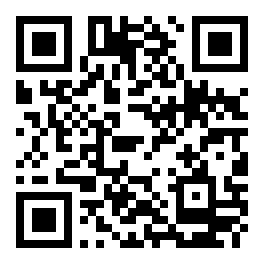
Scan on desktop and take it to your phone

PG Soft · RTP 95.2%

Pragmatic Play · RTP 95.3%
To see the full lobby, open the Casino page, or type the game name into the search box in the app.
Your phone will ask for permission once, on the first install. Later updates won't need these steps again.
Go to Settings, then Security or Apps, and turn on “Install unknown apps” for whichever app you use to open the file.
Downloading over Wi-Fi won't use up your mobile data. If the connection is weak, wait until the download finishes.
Open fc99.apk from notifications and tap Install. If a warning appears, approve it and carry on.
Log in if you already have an account; if you're new, follow the steps on the Register page.
Deposit a minimum of ৳100 via bKash, Nagad or Rocket — the money usually shows up in your balance within 6 minutes.
The same account and the same balance work on both. The only difference is how they open and how much data they use.
| Topic | fc99 APK | Site in the browser |
|---|---|---|
| Opening speed | The interface stays saved on your phone and opens fast | Loads fresh every time |
| Data use | Comparatively low | The full page downloads each time |
| Notifications | Alerts for bonuses and withdrawal updates | None delivered separately |
| Install | Needs a 36 MB file | Nothing to install |
| Updates | Download and install the new APK | Updates automatically |
| Best suited for | Those who play almost every day | Those who drop in now and then |
The app runs on older phones too as long as you have Android 7.0 — games may just take a little longer to load. Keep the settings below in order and you'll save both data and battery.
Once the app is installed you no longer need the downloaded file. Deleting it gets you 36 MB of space back.
Turning off animations in your phone settings makes menus switch instantly and keeps the battery going longer.
Open the app to check your balance or place a bet, then close the session. On a weak network, it's better not to load big games.
If Facebook, YouTube and a browser with many tabs are all open at once, the app can freeze.
Fewer ad or update notifications means less background data and a lighter app.
Clearing the app cache once a day makes games open faster and clears out old files that pile up.

Almost every blocked install comes down to three things: a permission turned off, an incomplete download, or low space.
| Problem | Cause | Fix |
|---|---|---|
| “Install blocked” message | Unknown app installs are off on the phone, or Play Protect is warning you | Turn the permission on in Settings, then open the warning and choose the option to continue the install. |
| “There was a problem parsing the package” | The file didn't download fully, or Android is below version 7.0 | Delete the old file and download again; check whether your phone runs Android 7.0 or later. |
| “Not enough space” | Phone storage is nearly full | Delete unused videos, photos and cache to free up 36 MB, then try again. |
| “App not installed” | An older version is installed, or the previous file was corrupted | Uninstall the old app and install version 2.1.7 fresh. |
| Installed but won't open | Too many apps running in the background, or cache has built up | Restart the phone once and try opening it again. If that doesn't help, report it on 24/7 live chat. |
Every permission the phone asks for during install has a reason behind it. Here's what each one is used for.
Used to keep update files and small game caches, so the same graphics don't have to be downloaded again and again.
Required to load games, show your balance and send withdrawal requests. The app won't open without internet.
Tells you about bonuses, match kick-off times and withdrawal status. If it starts to annoy you, switch it off in your phone settings.
Gives a light buzz when you tap a button. Turning it off doesn't stop any part of the game.
The lobby, deposits and betting all work without giving these three permissions. If the app asks for them for no reason, just skip it and carry on — the app keeps running.
Download the APK file only from fc99.im. After downloading, check that the file name is fc99.apk, the size is 36 MB and the version is 2.1.7. If anything is different, delete the file and download it again from the site. Never install a “mod” or cracked version that was already on your phone.
Answers kept short, so you can get started with your phone in hand.
List of questions
The file downloads straight from our own servers, at 36 MB and version 2.1.7. Don't download it from Telegram groups or links on unfamiliar sites — the file can be swapped there. After downloading, check the file name and size; if anything looks off, delete it from your phone and download again.
This message usually comes from an incomplete download or an older Android version. Delete the old file from your file manager and download again, and check whether your phone is on version 7.0 or higher. You can also try downloading with Chrome instead of your current browser. If the same problem keeps repeating, tell us on 24/7 live chat.
An APK app doesn't update by itself. When a new version comes out, download the file again from the download button on this page and install it; it installs over the old app, and your account and balance are not deleted. Deleting the old APK file once you're done frees up space on your phone.
No — iPhones can't run APK files, so there's no separate installer for iOS. Open the site in Safari and pick “Add to Home Screen” from the share menu: you get an icon that opens just like an app. Only push notifications and a few settings won't behave the way they do in the app.
First check that your internet is working, then that you've typed your username and password correctly. If you've forgotten your password, follow the instructions on the login page. Even after installing on a new phone, you get your balance back as soon as you sign in to the same account.
The file is 36 MB, so keep at least that much free space for the install. With Android 7.0 or later the app runs even on phones with less RAM, though the bigger fishing games take a while to load. If you're short on space, delete videos and photos you don't need.